
Top 6 Chrome Extensions for Job Hunting That Actually Work
Six Chrome extensions for job hunting: an autofill job applications extension, a resume autofill extension, and the outreach tools worth installing.

The repetitive part of applying is not writing, it is retyping. A job search browser extension lives in the tab where you already are and removes that step: an autofill job applications extension drops your history into the portal, a resume autofill extension keeps the file current, and the rest handle outreach and tracking. Here are the six Chrome extensions for job hunting worth the toolbar space:
- LiftmyCV: Automates job applications with AI and tracks submissions across platforms like LinkedIn, Monster and so on. You can start for FREE.
- JobScan: Optimizes resumes for ATS (Applicant Tracking Systems) with keyword analysis and formatting checks. Premium starts at $89.95/quarter.
- Hunter: Finds and verifies hiring manager emails to improve outreach. Free for 25 searches/month, or $49/month for more.
- Resumake.io: Provides free templates to create professional resumes quickly.
- Zety Resume Builder: Offers ATS-friendly templates and pre-written content. Premium starts at $2.70/week.
- Grammarly: Improves grammar, tone, and clarity in resumes and cover letters. Premium is $12/month billed annually.
Quick Comparison
| Extension | Key Features | Free Version | Premium Version |
|---|---|---|---|
| LiftmyCV | AI auto-apply, tracking, filters | 3 free lifts | Starts at $14.99/500 apps |
| JobScan | Resume analysis, ATS checks, keyword tips | Limited scans | $89.95/quarter |
| Hunter | Email finder, domain search, verification | 25 searches/month | $49/month |
| Resumake.io | Resume templates, PDF export | All features free | – |
| Zety Resume Builder | ATS-friendly templates, content suggestions | Preview only | $2.70/week (billed annually) |
| Grammarly | Writing corrections, tone suggestions | Basic features | $12/month (annual billing) |
These extensions save time, improve application quality, and keep your job search organized. Choose the ones that best fit your needs and goals.
What a Job Search Browser Extension Is For
Applying is mostly typing things you have already typed. A job search browser extension lives in the tab where the form is and fills it, which is why the six below earn their place in the toolbar even for candidates who are organized to begin with.
Time-Consuming Application Process
Applying for jobs manually means dealing with repetitive tasks like filling out forms and tracking submissions. Chrome extensions can automate these tasks, letting you spend more time tailoring your applications to specific roles. Plus, efficient tracking tools help keep everything organized.
Application Tracking Challenges
Tracking multiple job applications across various platforms can quickly get out of hand. Many Chrome extensions come equipped with advanced tracking features. For example, some can sync directly with LinkedIn and even send alerts to prevent duplicate applications.
Here’s a quick look at how these extensions tackle common job search issues:
| Challenge | Extension Solution | Impact |
|---|---|---|
| Repetitive Data Entry | Auto-fill capabilities | Saves time by automating forms |
| Application Management | Built-in tracking systems | Keeps applications organized |
| Resume Optimization | AI-powered keyword matching | Improves ATS compatibility |
| Direct Outreach | Email finder tools | Makes contacting hiring managers easier |
Staying Focused and Productive
Job searching online can be full of distractions. Some extensions help you stay on track by:
- Blocking distracting websites during application hours
- Monitoring your progress
- Locating hiring managers’ email addresses for direct outreach
Resume Optimization
With Applicant Tracking Systems (ATS) screening most resumes, optimizing yours is critical. AI-powered Chrome extensions can help by:
- Scanning job descriptions to identify key requirements
- Suggesting keywords to improve your resume
- Ensuring your formatting is ATS-friendly
These tools slot into the job search routine you already have. The features outlined here are just a preview of what’s available in the top Chrome extensions we’ll cover next.
1. LiftmyCV – AI Job Search Agent & Auto-Apply Tool
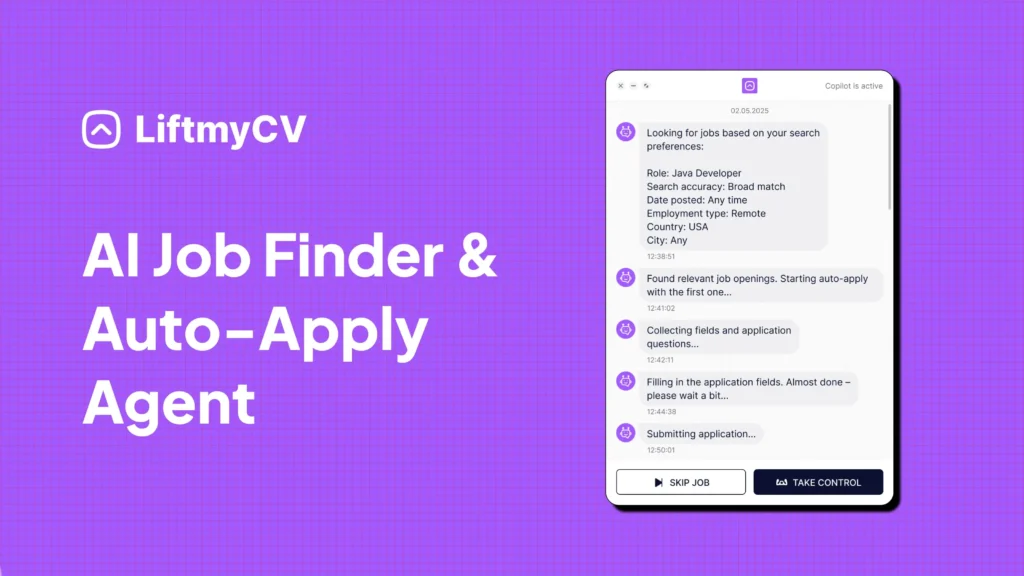
When you’re using tools like LiftmyCV, job hunting becomes far more efficient – especially if you’ve already polished your resume. As one of the top Chrome extensions featured in this roundup, LiftmyCV goes beyond basic tracking and truly transforms the application process. With AI-driven capabilities powered by ChatGPT-4o, this extension helps you apply smarter, not harder.
LiftmyCV is a standout Chrome extension because it automates the most time-consuming parts of job hunting while enhancing your profile’s visibility in applicant tracking systems (ATS). Here’s how it levels up your search:
- Flexible Pricing Plans: Choose between pay-as-you-go credits or subscription options – whatever fits your budget best.
- AI-Powered Search Assistant: Finds job openings tailored to your experience, skills, and preferences.
- ATS-Optimized Profile Generator: Builds a recruiter-ready profile that’s structured to meet ATS requirements.
- Instant Compatibility Checks: Provides real-time scoring and actionable tips to boost your chances of passing automated resume filters.
- Wide Platform Support: Connects with popular job boards like LinkedIn, Monster, Breezy HR, Recruitee, Workable, and Lever.
- Smart Autofill System: Automatically completes job application forms using AI-optimized formatting.
- Auto-Apply Controls: Manage how many applications you submit each day using the built-in Chrome extension settings.
- Application Tracker & Stats: View detailed logs of your submission history and monitor your auto-apply performance.
Available Submission Plans:
| Plan | CV submission | Cost | Model |
|---|---|---|---|
| Free plan | 3 AI Auto-Applies | $0 | Free |
| Subscription | 50 AI Auto-Applies /mo | $4.99 | Subscription |
| 500 Lifts | 500 AI Auto-Applies | $14.99 | Pay-as-you-go |
| 1000 Lifts | 1000 AI Auto-Applies | $24.99 | Pay-as-you-go |
| 2000 Lifts | 2,000 AI Auto-Applies | $39.99 | Pay-as-you-go |
With LiftmyCV, you can fine-tune filters based on job title, preferred work environment (remote, hybrid, or on-site), and location. The extension ensures that each submission is neatly formatted and customized to improve your odds, all while staying within daily application limits to prevent burnout.
Try LiftmyCV for free – no subscription required!
2. JobScan

JobScan’s Chrome extension helps fine-tune your resume for Applicant Tracking Systems (ATS). It offers instant feedback and practical suggestions to align your resume with what recruiters are looking for.
Key Features
| Feature | What It Does |
|---|---|
| ATS Compatibility Check | Confirms your resume works with major systems like iCIMS, Lever, and Taleo |
| Keyword Analysis | Highlights missing skills and key terms from job postings |
| Resume Format Validator | Ensures file types and formatting are correct |
| Match Rate Scoring | Gives a percentage-based compatibility score |
| Cover Letter Optimizer | Adjusts tone and refines keywords in your cover letter |
These tools are designed to improve how your resume performs and increase your chances of landing interviews.
Tips for Best Results
- Optimize Formatting
- Save your resume as a .docx file
- Stick to simple, easy-to-read fonts
- Avoid using tables, graphics, or multi-column layouts
- Use standard section headings
- Use Keywords Effectively
- Include full terms and acronyms (e.g., “Master of Business Administration” and “MBA”)
- Aim for at least a 75% match rate with job descriptions
- Add both technical skills and interpersonal skills from the job listing
How It Works
JobScan is compatible with 99% of Fortune 500 ATS platforms, ensuring your application stays competitive. Its scanning technology identifies hidden details in job descriptions, helping you tailor your resume for each role. Next, let’s compare its features side by side.
3. Hunter

Hunter is a tool designed to help job seekers find the email addresses of hiring managers and recruiters, making it easier to connect with the right people. With over 5 million users, it has become a popular choice for improving job application outreach efforts.
Key Features for Job Seekers
| Feature | Benefit |
|---|---|
| Domain Search | Discover all email addresses linked to a company’s website. |
| Email Finder | Pinpoint specific emails for hiring managers or recruiters. |
| Confidence Score | Assess email accuracy before sending messages. |
| Email Verification | Avoid bounced emails by verifying addresses. |
| Sources Display | See when and where an email address was found. |
Tips for Using Hunter Effectively
Hunter simplifies the process of finding contact details on employer websites and LinkedIn profiles. It automatically detects email patterns and contact information, and the confidence score system helps you prioritize which emails to use based on their accuracy.
How to Use Hunter Strategically
To get the most out of Hunter, combine its features for a precise and efficient outreach process:
- Research Contacts: Use Domain Search to identify potential contacts at your target companies.
- Verify Accuracy: Check confidence scores to ensure the email addresses are reliable.
- Reach Out: Use verified contacts alongside traditional application methods to improve response rates.
4. Resumake.io

Resumake.io is a tool designed to help job seekers craft professional resumes with ease. Its user-friendly templates allow you to focus on what matters most – your content – while ensuring a clean and polished design.
Here’s a breakdown of its main features:
| Feature | Description |
|---|---|
| Template Library | Offers a variety of professional resume templates |
| Export Options | Provides easy ways to export your completed resume |
5. Zety Resume Builder

Zety Resume Builder is designed to help job seekers create resumes that pass applicant tracking systems (ATS) while offering customizable layouts to suit individual needs.
Key Features:
| Feature | Description |
|---|---|
| ATS Optimization | Pre-written content built to parse cleanly in ATS software. |
| Template Library | 18 professional templates with options to tweak layouts and designs. |
| Expert Content | Access to over 700 free, industry-specific resume examples. |
| Real-time Scoring | A resume checker that provides instant feedback and improvement tips. |
| Format Options | Export your resume in PDF, Word, or TXT formats. |
These tools make it easier to create a polished and effective resume. For those on a budget, Zety allows free resume creation with .txt downloads. PDF and Word file downloads start at just $1.95 and come with a 14-day money-back guarantee.
Zety also offers a cover letter generator so every application document matches. With over 700 examples spanning various industries and experience levels, the platform simplifies the resume-building process while ensuring your application stands out.
6. Grammarly
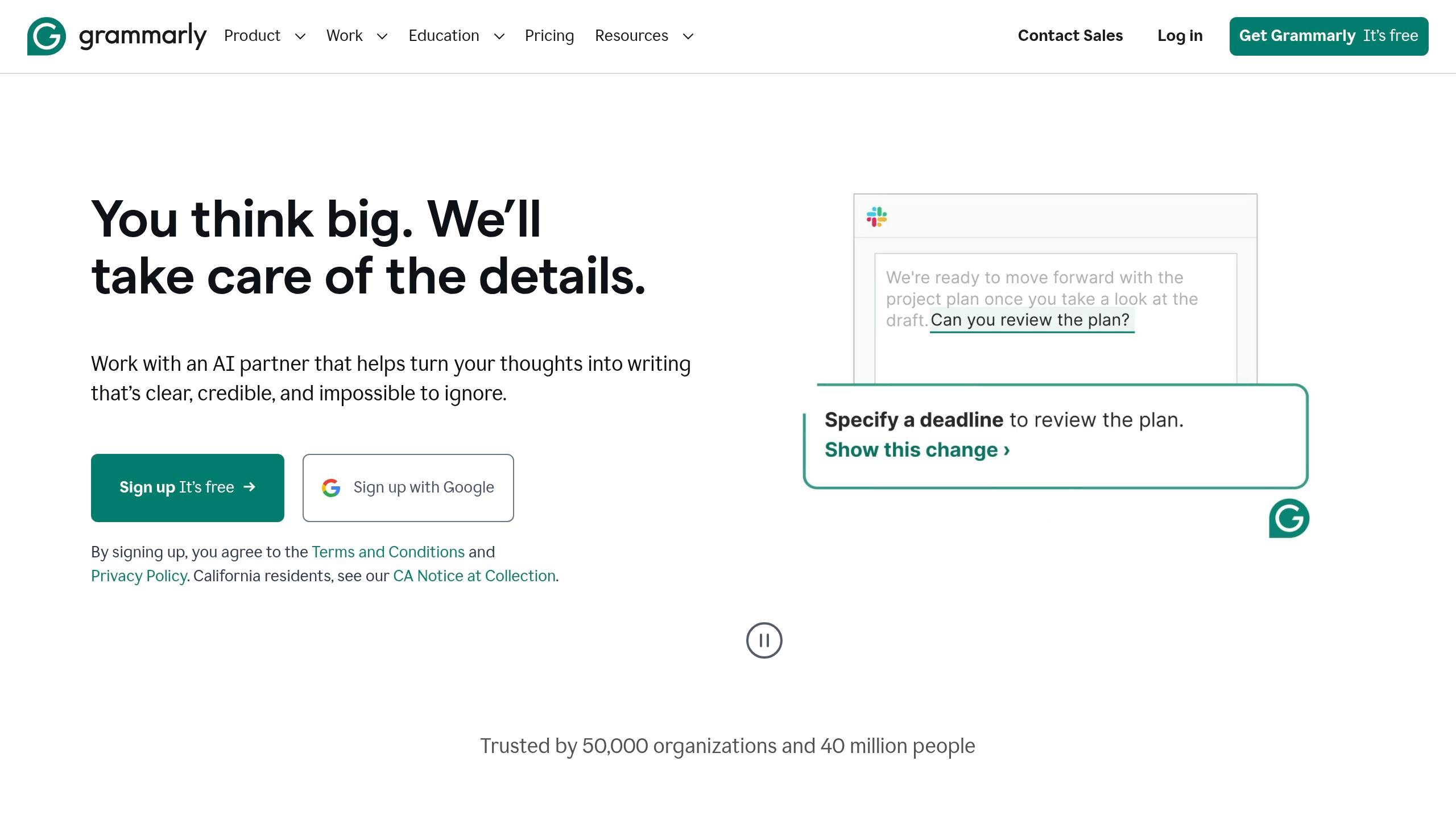
Grammarly simplifies a key part of your job search: crafting clear, professional communication that helps you land interviews. Here’s how Grammarly can improve your job applications.
Key Features:
| Feature | Description |
|---|---|
| Real-time Corrections | Instantly fixes grammar, spelling, and punctuation errors |
| Tone Detection | Ensures your tone stays professional |
| Clarity Improvements | Makes your writing concise and impactful |
| Cross-platform Support | Compatible with 500,000+ websites, apps, and browsers |
| Advanced Suggestions | Offers word choice tips and sentence rewrites (Pro version) |
Grammarly integrates smoothly into your workflow. Whether you’re writing a cover letter in Google Docs, emailing recruiters in Gmail, or editing your resume in Microsoft Word or Slack, Grammarly ensures your writing stays polished and professional.
Extension Features at a Glance
Here’s a quick comparison of popular tools to help you decide which one fits your job search needs. We’ve outlined their main features and pricing:
| Extension | Key Features | Free Version | Premium Version |
|---|---|---|---|
| LiftmyCV | • AI-powered auto-apply • Multi-platform submissions • Custom filters • Profile optimization | 3 Free Lifts | Starts at $4,99 for 50 auto-applies or $14.99 for 500 CV applications |
| JobScan | • Resume analysis • ATS compatibility checks • Keyword recommendations | Limited scans | $89.95/quarter |
| Hunter | • Email finder • Domain search • Email verification | 25 searches/month | $49/month |
| Resumake.io | • Resume templates • PDF export • Custom formatting | All features free | – |
| Zety Resume Builder | • Ready-to-use templates • Content suggestions • Multiple formats | Preview only | $2.70/week (billed annually) |
| Grammarly | • Writing corrections • Tone suggestions • Clarity improvements | Basic features | $12/month (annual billing) |
BONUS: The 5 BEST Chrome Extensions for Your Job Search
Getting the Most From an Autofill Job Applications Extension
Make the most of job search extensions by keeping them secure, organized, and up-to-date.
Regular Maintenance
Keep your extensions running smoothly by checking them regularly. Visit chrome://extensions to review and adjust permissions at least once a month to ensure they align with your current needs.
Security Tips
1. Manage Permissions
Be selective about the permissions you grant. Allow access only to:
- Specific job boards you’re using
- Your resume and profile details
- Tabs directly related to job searches
Avoid granting access to:
- All websites
- File downloads you don’t need
- Your browser history unless absolutely necessary
2. Protect Your Data
Consider creating a separate browser profile for job hunting. This helps:
- Keep your personal and job search data separate
- Reduce the risk of accidental data exposure
- Stay better organized during your search
3. Organize Your Extensions
- Turn off or uninstall extensions you no longer use
- Keep only the tools essential for your job search active
Privacy Matters
Protecting your personal information is just as important as security and performance:
- Use a dedicated email address for job applications
- Minimize the amount of personal data saved in extension profiles
- Clear cached data from extensions regularly
- Always read privacy policies before granting permissions
Conclusion
Six extensions, one browser. Together they turn the tab you already have open into the place the work happens, and the repetitive part of applying stops eating your evening.
For example, auto-filling extensions can save up to 15 minutes per application by reducing manual input by 90%. That extra time can go toward customizing applications or preparing for interviews instead of tedious data entry.
Mix them by job, not by rating. One handles formatting, one tracks what you sent, one writes. Installing all six on day one is how you end up using none of them by week three, and each one you keep is a tool reading the pages where you type your address and salary history, so pick with that in mind. Used well, these extensions expand your reach and ensure polished, professional applications.
Then prune. An extension you have not opened in a month is reading the pages you apply on for nothing.


FAQ
What is the best autofill job applications extension?
The one that fills the applicant tracking systems you actually meet: Greenhouse, Lever, Workday, Ashby. Coverage varies more than the marketing suggests, so check the ATS list before the feature list.
Does a resume autofill extension work on every job board?
No. Most cover LinkedIn Easy Apply and the major ATS portals. Company career pages built on custom forms usually fall back to manual entry.
Are job search browser extensions safe to install?
They need access to the pages where you apply, which means they can read what you type there. Install ones from a company with a privacy policy you can find, and remove the ones you stopped using.
Read Next

How to Get Into Graphic Design and Land Your First Design Job
Choose a design lane, build a three-project portfolio with case studies, and apply while 9,064 graphic design roles are open.

How to Find a Job: The Complete Step-by-Step Guide
How to find a job step by step: where to search, how to get past the ATS, the best way to apply faster, and how to automate your job search with LiftmyCV.

How to Become a Copywriter, From First Sample to First Paid Job
Pick a copy lane, build four samples that prove it, and apply while 1,944 copywriter roles sit open. Pay data and timelines included.